
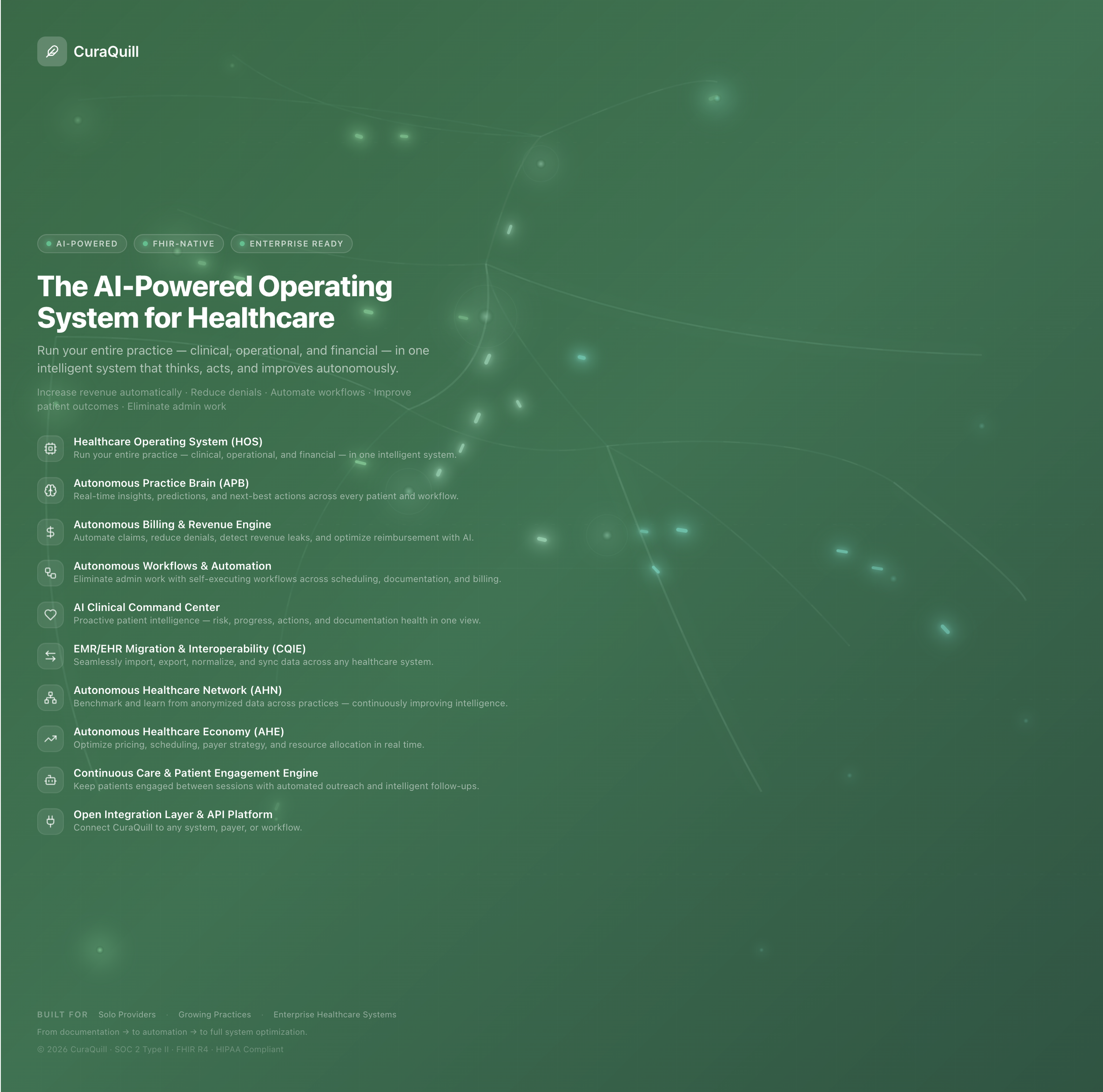
CuraQuill is an innovative, AI-driven mental health platform designed to revolutionize the way clinicians and healthcare practices manage patient care, improve workflow efficiency, and enhance the overall treatment experience. Built for mental health clinicians, group practices, and hospitals, CuraQuill integrates seamlessly into existing systems, delivering enterprise-grade solutions that meet the needs of modern healthcare environments.
About CuraQuill
CuraQuill’s core feature lies in its powerful CuraQuill Interoperability Engine (CQIE), which facilitates seamless integrations with various Electronic Health Record (EHR) systems, including Epic, Cerner, Athena, and other FHIR-based platforms. This ensures clinicians can spend more time with patients and less time on paperwork, optimizing every aspect of patient care and clinical documentation.
Transforming Clinical Documentation
One of the most significant innovations within CuraQuill is its AI-driven documentation system. The platform automates the generation of multiple note types, including SOAP, DAP, BIRP, GIRP, and PIE notes and more, significantly reducing the time spent on clinical documentation. The intelligent transcription system listens to patient-therapist conversations, automatically populating session notes, which helps streamline workflows while maintaining high standards of accuracy and compliance.
AI-Powered Notes and Automation
CuraQuill includes robust billing and insurance functionality, allowing practices to easily manage payments, claims, and insurance processes. With a direct integration with Stripe for subscriptions and payments, the platform ensures smooth financial transactions and tracking for practices. The system also includes automated insurance verification and claim generation, helping practices stay compliant and streamline financial operations.
Seamless Integration with Billing and Insurance
The platform's multi-note generation system enables clinicians to quickly generate multiple types of clinical documentation from a single session. Customizable templates for treatment plans, assessments, intake forms, and more allow practices to tailor the platform to their unique needs, enhancing both functionality and efficiency.
Multi-Note Generation & Customizable Templates
CuraQuill also includes advanced analytics and business intelligence features, providing real-time insights into patient progress, treatment trends, and business performance. This data can be visualized through an intuitive dashboard, empowering healthcare providers to make more informed decisions, optimize practice operations, and improve patient outcomes.
Real-Time Analytics & Practice Insights
CuraQuill also includes advanced analytics and business intelligence features, providing real-time insights into patient progress, treatment trends, and business performance. This data can be visualized through an intuitive dashboard, empowering healthcare providers to make more informed decisions, optimize practice operations, and improve patient outcomes.
Real-Time Analytics & Practice Insights
With a strong focus on data security and compliance, CuraQuill adheres to all HIPAA regulations and other relevant privacy laws. Patient data is securely stored and encrypted, and the platform provides clinicians with full control over who can access patient information, ensuring confidentiality and trust.
Security & Compliance
Designed for scalability, CuraQuill is capable of handling both small practices and large healthcare organizations. Whether you're a solo clinician or part of a multi-location healthcare network, CuraQuill adapts to your needs, providing reliable and scalable solutions for your practice
Enterprise-Ready & Scalable
AI-driven Clinical Documentation: Automates note generation for SOAP, DAP, BIRP, GIRP, PIE, and other formats. 25+ formats.
Seamless EHR Integration: Connects with Epic, Cerner, Athena, and other FHIR-based systems.
Insurance and Billing Automation: Streamlines insurance verification, claim generation, and billing workflows.
Real-Time Analytics: Provides actionable insights to improve patient care and business operations.
Customizable Templates: Tailor forms, assessments, treatment plans, and more.
Multi-Session Note Generation: Generate multiple clinical notes from a single session.
Secure and Compliant: Fully HIPAA-compliant with encryption and data security.
Enterprise-Grade Scalability: Adapts to practices of all sizes, from solo clinicians to large healthcare networks.
Key Features:
Our Mission
At CuraQuill, we are committed to transforming the mental health landscape by providing cutting-edge tools and solutions that empower healthcare professionals to deliver exceptional care. Our mission is to enable clinicians, practices, and hospitals to streamline their workflows, enhance patient outcomes, and foster a healthier future for all.
We believe that technology should serve as a catalyst for improving the quality of care while minimizing administrative burdens. By leveraging artificial intelligence and seamless system integrations, CuraQuill aims to automate tedious tasks like documentation, billing, and scheduling, allowing clinicians to focus on what matters most—patients.
Our platform is designed with the understanding that mental health practices face unique challenges, from managing complex patient data to adhering to ever-evolving regulations. CuraQuill addresses these challenges head-on by offering:
AI-Driven Documentation: Automatically generating clinical notes in multiple formats (SOAP, DAP, BIRP, GIRP, PIE), enabling clinicians to spend more time with patients and less time on paperwork.
Operational Efficiency: Through real-time performance analytics, we help practices optimize revenue cycles, improve patient engagement, and boost operational efficiency.
Comprehensive Data Security and Compliance: We prioritize the privacy and security of patient data, adhering to the highest standards of HIPAA compliance and ensuring that sensitive information remains protected.
Interoperability: Our system seamlessly integrates with major EHR platforms, ensuring that healthcare teams can access and exchange patient data smoothly across different systems.
We aim to create a future where mental health care is both efficient and compassionate. We envision a world where clinicians have the tools and support they need to focus on their most important work—helping individuals heal, grow, and lead fulfilling lives.
By enhancing clinician productivity, streamlining operational workflows, and fostering collaboration across healthcare teams, CuraQuill is dedicated to improving the overall experience for both practitioners and patients. Together, we can create a future where mental health care is more accessible, effective, and impactful for everyone.
Dashboard
Practice Pulse
Clinical: Indicates how many notes are unsigned and their status.
Revenue: Displays the amount of claims recovered, notes completed, and the total revenue.
Operations: Highlights key operational metrics such as no-shows and automation run.
Engagement: Measures patient engagement levels and flags patients needing attention.
Risk Level: Indicates if any operational or clinical risks are present, offering an overview of potential challenges.
Today's Sessions
Number of sessions held today.
Claims pending for the day and their statuses.
Number of active patients and the pending notes.
Automations and Intake
Intakes Sent: Tracks the number of intake forms sent to patients.
Automations Run: Displays the count of automations executed, helping streamline operations.
AI Insights
Clinical Outcomes: Shows real-time clinical outcomes such as trends in patient health (e.g., improving, plateauing).
Revenue Insights: Tracks ongoing revenue trends and offers actionable insights into revenue optimization (e.g., claiming unsubmitted claims, appealing denied claims).
General Information
Priority Actions: Displays recommended actions based on current data, such as sending reminders, reviewing overdue treatment plans, or addressing care gaps.
Task Management: Keeps track of ongoing tasks, overdue items, and helps prioritize actions to improve practice efficiency.
Next Best Actions
Clinical Performance
Patient Outcomes: Displays trends and real-time updates on clinical outcomes, showing how many patients are improving, plateauing, or need attention.
Session Completion: Provides insights into the percentage of sessions completed and their status (e.g., completed vs. in progress).
Practice Health
Health Score: A consolidated metric based on all clinical and operational parameters, guiding practice owners on the overall health of their practice.
Revenue
Unsubmitted Claims: Displays the number of claims pending submission and their total amount.
Aging Claims: Alerts about delayed claims that need attention.
Revenue Leakage: Identifies any gaps in the practice’s revenue cycle, such as missed opportunities for claim submissions.
Detailed Performance Metrics
Patient Intelligence
Patient-level Outcomes: Shows individual patient performance and engagement, including any patients that are at risk or declining in engagement.
High-Risk Patients: Flags patients who require urgent attention due to clinical or engagement issues.
Practice Economy
Revenue per Patient: Tracks the average revenue generated per patient.
Claim Success Rate: Monitors the success rate of claims, offering tips to optimize this rate.
Scheduling Density: Indicates how fully booked the practice is and offers suggestions to improve scheduling efficiency.
Detailed Breakdown of Patient & Financial Insights
Operational Gaps: Flags areas where the practice needs to improve, such as incomplete forms or notes.
Patient Engagement Signals: Alerts if there are any signs of declining engagement, helping clinicians take proactive action to re-engage patients.
Clinical & Operational Intelligence
Revenue Trends: Shows expected revenue for the current period and compares it with previous months, offering predictive insights into the financial trajectory.
Practice Forecasting
Interoperability: Shows the status of system integrations and health connectors, ensuring that external systems are synced and functioning smoothly.
Network Intelligence
Automation Chains: Shows any active automation chains (e.g., follow-up tasks, note generation, risk alerts).
Quick Action Recommendations: Provides a quick overview of all the critical actions the practice needs to take.
Automations & Efficiency
Patients
Personal Information: View and update patient details such as name, date of birth, contact information, gender, and emergency contacts.
Demographics: Track additional demographic information, such as ethnicity, insurance status, primary care provider, etc.
Insurance Information: Display insurance provider details, coverage plans, and policy numbers for easy reference.
Medical History: Access a comprehensive record of the patient’s medical, psychiatric, and treatment history, including prior diagnoses, medications, allergies, and treatments.
Primary Care Physician (PCP): Maintain details of the patient's primary care physician and any other relevant specialists.
Patient Profile
Current Diagnoses: View a list of all active diagnoses, including any ICD codes, relevant symptoms, and additional notes.
Medications and Prescriptions: List all current medications prescribed to the patient, dosage, and frequency, including dates of prescriptions and adjustments.
Treatment Plans: View or edit ongoing treatment plans, outlining therapy goals, intervention strategies, progress evaluations, and follow-up procedures.
Allergies: Maintain an up-to-date list of allergies to medications, foods, or other substances, ensuring safety during treatment.
Psychiatric Assessments: Access standardized psychiatric assessments, including results from tests or scales like PHQ-9, GAD-7, and others.
Clinical Information
Upcoming Appointments: A calendar view or list of all scheduled appointments with the patient, showing appointment type, time, and status (confirmed, canceled, rescheduled).
Appointment History: Track past appointments, including attendance, therapist notes, and treatment progress discussed during those sessions.
Rescheduling/Canceling: Quick options for rescheduling or canceling appointments directly within the patient’s profile.
Telehealth Integration: Links for telehealth sessions, ensuring a seamless transition from in-person to virtual care.
Session Outcomes: View session status and completion rate for each appointment (e.g., "completed," "no-show," "rescheduled").
Appointment Management
Session Notes: AI-generated or manually entered session notes for each appointment, displayed in the appropriate format (SOAP, DAP, BIRP, etc.).
Clinical Documentation: A detailed history of all clinical notes, assessments, and progress reports, automatically generated or added by the clinician.
Progress Reports: Automatically compiled or manually created reports summarizing the patient’s clinical progress over time.
Document Attachments: Ability to attach external documents such as lab reports, imaging, or referral letters.
Notes Documentation
Previous Treatments: A detailed record of all past treatments, including type of therapy, clinician details, and patient outcomes.
Medication History: Track past medications, dosage, side effects, and patient responses.
Progress Notes: Review and update patient progress based on treatment outcomes, including documented improvements, challenges, and adjustments in the care plan.
Treatment & Medication History
Messaging: Secure messaging functionality for clinicians to communicate with patients about session reminders, medication updates, or general inquiries.
Reminders: Automated reminders for appointments, medication refills, follow-up care, and assessments.
Patient Portal: Allow patients to securely access their health information, request appointments, update personal details, and communicate with their healthcare team.
Feedback: Collect patient feedback about the treatment experience, including session satisfaction or general comments for continuous improvement.
Patient Communication
Billing History: View past billing statements, payment history, and unpaid balances.
Claims: Track submitted insurance claims, their approval status, and any pending or rejected claims.
Payment Methods: Store and update preferred payment methods (credit cards, bank accounts) for seamless billing and payments.
Invoice Generation: Generate patient invoices for services rendered, detailing session charges, medication costs, and additional fees.
Billing & Financials
Patient Progress Analytics: Visualize patient outcomes with graphs or charts, showing improvement trends or areas of concern based on clinical assessments.
Engagement Tracking: Monitor patient engagement levels with care (e.g., session attendance, responsiveness to treatment plans).
Risk Alerts: Automated alerts when a patient shows signs of potential risks, such as treatment non-adherence, missed sessions, or medication side effects.
Clinical Outcome Predictions: AI-driven predictions about treatment success and suggested adjustments based on historical data.
Analytics & Insights
Caregiver Contacts: Store information about family members or caregivers involved in the patient’s treatment, providing consent for sharing treatment plans and notes.
Caregiver Notes: Track communications or concerns raised by caregivers about the patient’s treatment, safety, or mental health.
Family & Caregiver Information
Referral History: Track any referrals made to specialists, other providers, or facilities, with status updates on whether the patient has followed through.
Follow-Up Actions: Document and track any follow-up actions required, such as medical tests, therapy referrals, or progress check-ins.
Referral & Followup
Consent Forms: Manage consent forms for treatments, telehealth, and information sharing with third parties.
Legal Documents: Store any necessary legal documentation, including guardianship agreements or advanced directives, within the patient’s profile.
Consent & Legal Documents
Session Flow Process
Patient Session Management:
Session Creation: Ability to create new sessions by selecting a patient and the type of session (e.g., individual, group).
Session History: View past sessions for each patient, including session types and dates.
Session Status: Track the status of a session (e.g., scheduled, in-progress, completed).
Transcript Generation: After a session ends, auto-generate a transcript of the conversation, capturing both therapist and patient dialogue.
Session Duration: Display total session time for record-keeping.
Telehealth Integration: Seamless integration with telehealth platforms for virtual sessions (video/audio).
Session Reminders: Automated reminders sent to patients and therapists about upcoming sessions.
Automated Documentation: Automatically generate SOAP, DAP, BIRP, GIRP, and P.I.E. notes after the session is completed.
Session Notes: Ability to add and edit session-specific notes for internal use.
Consent Management: Digital consent management for telehealth and in-person sessions.
AI Suggestions: AI-powered suggestions for session content or next steps based on patient data.
Clinical Progress Tracking:
Outcome Timeline: Display a timeline of patient progress, including clinical milestones, important notes, and future sessions.
Session Recaps: Short summaries or key takeaways from each session.
Goal Tracking: Track and display patient goals and progress within each session, integrated with treatment plans.
Team Collaboration:
Multi-User Collaboration: Support for multiple therapists or clinicians to collaborate within a session (in-person or virtual).
Session Sharing: Ability to share sessions with team members or supervisors for review or feedback.
Sessions
Appointment Booking:
Online Scheduling: Allow patients to book sessions online with available therapists, in real-time.
Calendar Integration: Sync with external calendar tools (Google Calendar, Outlook) for seamless scheduling.
Custom Availability: Therapists can set their own availability, including working hours and block-off times (e.g., for breaks or lunch).
Time Zone Support: Handle time zone discrepancies for remote patients and therapists.
Recurring Appointments: Support for recurring appointments, making it easy to schedule weekly or monthly sessions.
Session Management:
Session Modifications: Modify, cancel, or reschedule appointments as needed.
Session Alerts: Automated notifications for upcoming sessions, cancellations, or changes.
Waitlist Management: Implement a waitlist for fully-booked therapists, allowing patients to join and be notified if a spot becomes available.
Patient and Therapist Views:
Therapist Dashboard: Personalized scheduling view for each therapist, showing their booked sessions and availability.
Patient Dashboard: A view of upcoming appointments, with the ability to book or cancel sessions.
Session Reminders: Automated SMS, email, or in-app reminders for both therapists and patients.
Conflict Resolution: Alert users to scheduling conflicts (e.g., double-booking) and suggest alternatives.
Group Sessions:
Group Scheduling: Schedule group therapy sessions and manage multiple patients within the same session.
Session Type Differentiation: Differentiate between individual and group sessions for ease of tracking.
Integration with Electronic Health Records (EHR):
Integrated Data Flow: Sync scheduling data with patient records, treatment plans, and other relevant clinical information.
Scheduling
Note Types and Formats:
Multiple Note Types: Support for multiple note formats, such as SOAP, DAP, BIRP, GIRP, P.I.E., and custom note types.
Predefined Templates: Allow therapists to use pre-built templates for different types of notes (e.g., intake, progress, termination).
AI-Generated Notes: Use AI to generate notes based on session transcripts or therapist inputs.
Auto-Population: Auto-populate patient information, session details, and treatment plan objectives into notes.
Customizable Fields: Provide customizable sections within each note type (e.g., add “progress updates” or “patient concerns”).
Collaboration and Sharing:
Sharing and Review: Share notes with other team members, supervisors, or patients, and allow for collaborative edits or annotations.
Version Control: Maintain versions of each note so users can track edits and updates.
Approval Workflow: Allow supervisors or team leads to approve notes before they are finalized or shared with patients.
Search and Filtering:
Searchable Notes: Provide advanced search functionality, including filtering by patient name, session type, or keywords within notes.
Categorization: Categorize notes by type (e.g., progress, session summaries) for easier organization.
Date/Time Filtering: Sort notes by date, session type, or patient.
Clinical Insights:
Outcome Tracking: Integrate clinical outcomes with notes to track patient progress over time, with visual summaries and insights.
Treatment Plan Alignment: Ensure that notes are aligned with the patient’s treatment goals, making it easy to track progress.
Diagnosis Tracking: Include a section for diagnosis tracking that reflects updates over time.
Security and Compliance:
HIPAA Compliance: Ensure that notes are securely stored, with proper encryption and access control.
Audit Trail: Track who viewed or edited notes, providing a comprehensive audit trail for compliance purposes.
Permission Control: Control who has access to specific notes (e.g., only certain therapists or supervisors).
Mobile and Multi-Device Access:
Mobile Access: Enable therapists to access, create, and edit notes on mobile devices for on-the-go use.
Offline Mode: Allow note-taking offline, with sync functionality when back online.
Notes
Intake Packets
Basic Demographic Information: Collect basic patient details, including:
Full name
Date of birth
Gender
Address, phone number, and email
Insurance details (if applicable)
Emergency Contact Information: Allow patients to provide emergency contact details for critical situations.
Primary Care Provider Information: Gather details about the patient’s primary care physician or referring provider.
Consent Forms: Provide digital consent forms for services like telehealth, billing, and data usage.
Patient Information Collection
Current Symptoms/Concerns: Have patients fill out a section describing their main concerns, symptoms, or issues they want to address.
Past Medical History: Include fields for patients to detail their medical history, such as:
Previous diagnoses
Past surgeries or treatments
Medications currently being taken
Allergies
Family medical history (if relevant)
Mental Health History: Include specific questions to assess mental health history, including:
Previous mental health diagnoses
Past therapy treatments or medications
Suicide risk assessment
Self-harm history
Current or past mental health symptoms
Substance Use History: Gather information about any past or current substance use, including:
Alcohol
Drugs
Tobacco
Trauma History: Assess any relevant trauma history, such as abuse or significant life events.
Medical History & Presenting Concerns
Standardized Screening Tools: Integrate validated mental health assessment tools, such as:
PHQ-9 (for depression)
GAD-7 (for anxiety)
AUDIT (for alcohol use)
PTSD checklist
BDI (Beck Depression Inventory)
Mood Disorder Questionnaires (MDQ)
Customizable Forms: Allow clinicians to create custom intake forms tailored to their practice’s needs (e.g., specific to therapy modalities or patient conditions).
Risk Assessment: Include specific questions for assessing risk factors, such as:
Suicide risk
Self-harm tendencies
Violence or aggression risk
Cultural and Social Factors: Collect information about cultural background, social determinants of health (e.g., living situation, socioeconomic status), and support systems (e.g., family, friends, community).
Assessment & Questionnaires
Therapeutic Goals: Include a section where patients can define what they hope to achieve from therapy (e.g., symptom relief, coping strategies, self-awareness).
Treatment Preferences: Allow patients to indicate their preferences regarding therapy approach, such as:
Type of therapy (CBT, DBT, psychodynamic, etc.)
Frequency of sessions (weekly, bi-weekly, monthly)
In-person or telehealth preferences
Specific therapist traits (e.g., experience, gender, approach)
Patient Strengths: Include a section for patients to identify their personal strengths (e.g., coping skills, support systems) that can be leveraged in therapy.
Treatment Preferences & Goals
Insurance Details: Allow patients to enter their insurance provider information, policy number, and group number for billing purposes.
Payment Plans: Allow patients to select payment options, including:
Private pay rates
Insurance billing
Sliding scale (if applicable)
Billing Consent: Gather consent for billing practices, including payment expectations and authorization to charge the provided insurance details.
Financial & Insurance Information
Informed Consent for Treatment: Digital signature for informed consent, outlining the nature of treatment, confidentiality, and patient rights.
HIPAA Compliance: Collect patient consent for data usage and confidentiality, ensuring compliance with HIPAA regulations.
Release of Information: Obtain consent to release or receive information from other providers, schools, or family members if applicable.
Telehealth Consent: For telehealth sessions, gather specific consent acknowledging that the patient understands the nature and risks of virtual therapy.
Financial Consent: Collect financial agreements regarding payment for services, co-pays, and billing for missed appointments.
Legal & Administrative Forms
Referral Source: Record how the patient found your practice (e.g., word of mouth, online search, referral from another provider).
Provider Referrals: If applicable, allow space to include details of any other professionals involved in the patient’s care (e.g., psychiatrists, primary care physicians, specialists).
Referral & External Provider Information
Personalized Portal Access: After completing the intake forms, provide patients with access to a personalized portal where they can review their information, schedule appointments, and access documents.
Secure Messaging: Enable patients to communicate securely with their clinician through the portal, including sending questions or updates between sessions.
Document Sharing: Allow patients to upload documents (e.g., medical records, prior treatment history) for easier integration into their treatment plan.
Patient Portal Integration
Progress Tracking:
Initial Assessment Score: Calculate a baseline score based on intake questionnaires (e.g., GAD-7, PHQ-9) to track progress over time.
Goal Setting: After the initial intake, allow the patient and therapist to collaboratively set treatment goals that can be referenced and updated in future sessions.
Progress Tracking
Mobile-Friendly Interface: Ensure that the intake form is fully optimized for mobile devices so patients can fill it out on-the-go.
Multilingual Support: Provide options for non-English speaking patients by offering forms in multiple languages.
Accessibility Features: Include features like font size adjustments, high contrast, and screen reader compatibility to ensure accessibility for patients with disabilities.
Patient Experience & Accessibility
Treatment Plans
Customizable Treatment Plan Templates:
Allow clinicians to use predefined templates or create fully customized treatment plans based on the patient's diagnosis, symptoms, and goals.
Include options for various therapy types (e.g., Cognitive Behavioral Therapy, Dialectical Behavioral Therapy, Trauma-Informed Care, etc.).
Diagnosis Integration:
Automatically populate the treatment plan with information from the patient’s diagnosis, including ICD codes, DSM-5 classifications, and any relevant clinical indicators.
Patient-Centered Goals:
Enable clinicians to collaborate with patients to set specific, measurable, achievable, relevant, and time-bound (SMART) goals.
Include goal sections for both short-term and long-term goals.
Track patient goals with progress indicators (e.g., percentage completion, notes on progress).
Patient Preferences:
Record patient preferences, such as treatment style or therapeutic approach (e.g., individual therapy, group therapy, telehealth vs. in-person).
Treatment Plan Creation & Setup
Problem List:
Automatically pull the patient’s presenting problems, concerns, and symptoms from the intake assessment.
Allow for the addition of new problems or concerns as they arise during treatment.
Treatment Interventions & Strategies:
Define specific interventions, therapeutic techniques, and strategies that will be used to address each problem (e.g., mindfulness, exposure therapy, coping strategies).
Specify the frequency and type of intervention (e.g., weekly CBT, daily journaling, or bi-weekly group therapy).
Provide AI-powered suggestions for appropriate interventions based on the patient’s diagnosis and symptoms.
Therapist’s Role:
Outline the therapist’s role in the treatment process (e.g., providing psychoeducation, facilitating coping strategies, monitoring progress).
Patient's Role:
Specify the patient’s responsibilities in the treatment process (e.g., practicing new skills between sessions, completing homework assignments, attending scheduled appointments).
Support System:
Identify any additional support networks involved in the treatment, such as family members, support groups, or other healthcare providers.
Treatment Plan Components
Regular Review Dates:
Set specific dates for reviewing the treatment plan (e.g., after 4 weeks, 3 months) to assess progress and modify goals or interventions if needed.
Send automated reminders to clinicians to review the treatment plan.
Progress Tracking:
Track progress on each goal with quantitative and qualitative metrics (e.g., symptom severity ratings, achievement of short-term goals).
Integrate with session notes to update progress on treatment interventions.
Adjustments and Updates:
Allow clinicians to update the treatment plan at any time based on new patient information, therapy progress, or shifts in treatment focus.
Automatically adjust goals and interventions as needed, ensuring that the plan remains relevant to the patient’s needs.
Treatment Plan Review & Modification
Multi-User Collaboration:
Enable collaboration between multiple clinicians working with the same patient (e.g., primary therapist, psychiatrist, case manager).
Provide access permissions to allow team members to view, edit, and contribute to the treatment plan.
Sharing with External Providers:
Allow treatment plans to be shared with other providers or institutions involved in the patient’s care (e.g., psychiatric specialists, primary care physicians).
Provide secure messaging or document-sharing capabilities for external collaboration.
Collaboration & Team Involvement
Pre-Configured Treatment Plans:
Offer pre-configured templates for common diagnoses (e.g., Depression, Generalized Anxiety Disorder, PTSD) based on best practice guidelines.
Allow customization of these templates to fit the specific needs of individual patients.
AI-Assisted Plan Generation:
Use AI to suggest evidence-based treatment plans based on the patient’s symptoms, goals, and history.
Provide automatic population of relevant interventions, goals, and assessment tools.
Treatment Plan Templates for Common Conditions
Assessment Integration:
Link the treatment plan to standardized assessment tools (e.g., PHQ-9, GAD-7) to track changes in symptom severity and overall progress.
Include automated scoring of assessments to show progress over time.
Session Note Integration:
Directly link treatment plans with session notes, so therapists can easily refer to goals and interventions discussed during sessions.
Allow the addition of specific session-based progress or changes directly into the treatment plan.
Treatment Outcome Analysis:
Offer built-in analytics to assess the effectiveness of treatment plans over time, based on changes in symptom scores, goal completion, and patient feedback.
Generate summary reports for clinicians to review patient progress during treatment.
Integration With Other Clinical Tools
Clinician View:
A clear, concise view of the treatment plan that highlights the main goals, interventions, and progress.
Ability to add, edit, and track progress in a streamlined, user-friendly interface.
Patient View:
Allow patients to view their treatment plan with an emphasis on clarity, focusing on their goals and the strategies they will be using.
Enable patients to mark their progress on goals and provide feedback on their treatment.
Patient & Clinician View
HIPAA Compliance:
Ensure that all treatment plan data is encrypted and stored securely, adhering to HIPAA regulations.
Audit Trail:
Maintain an audit trail of all changes made to treatment plans (e.g., when the plan was created, when it was updated, and who made the changes).
Consent Management:
Include sections for obtaining patient consent for treatment plan details, interventions, and any collaboration with other providers.
Legal & Compliance Features
Treatment Progress Reports:
Generate reports on patient progress toward treatment goals that can be shared with patients or other providers.
Outcome Evaluation:
Track treatment effectiveness through data visualization, such as progress charts or graphs.
Customizable Analytics:
Customize the types of data analyzed (e.g., progress on specific goals, symptom severity, treatment adherence).
Reporting & Analytics
Self-Report Surveys:
Periodically ask patients to complete self-report surveys (e.g., satisfaction with treatment, perceived progress) to gain insights into the treatment process.
Feedback Loop:
Allow patients to provide feedback on the treatment plan, suggesting any changes or expressing concerns about the treatment approach.
Patient Feedback & Self-
Report
Assessments Library
Predefined Assessment Templates:
Provide a library of standardized, evidence-based assessment templates (e.g., PHQ-9 for depression, GAD-7 for anxiety, BDI for bipolar disorder, etc.).
Allow clinicians to customize and create their own assessments or modify existing templates.
Include configurable sections for diagnosis, presenting problems, and symptoms.
Custom Questionnaires:
Support for creating and storing custom questionnaires that are specific to the patient’s needs or the clinician’s practice.
Customizable question formats such as multiple choice, Likert scales, open-ended questions, and ranking scales.
Flexible Layouts:
Ability to define the structure and flow of assessments, including different sections (e.g., general health, mental health, substance use, psychosocial concerns) that can be adjusted based on the patient’s profile.
Assessment Creation & Customization
Screening Tools:
Include clinically validated screening tools such as:
PHQ-9: For depression screening.
GAD-7: For anxiety screening.
CAGE Questionnaire: For alcohol use.
ASRS: For ADHD screening.
Beck Depression Inventory (BDI): For assessing the severity of depression.
PTSD Checklist (PCL-5): For PTSD screening.
AUDIT: For alcohol use.
Ensure scoring and interpretation guidelines for these tools are easily accessible.
Behavioral Health Assessments:
Include assessments for specific behavioral health conditions, such as:
Substance abuse
Post-traumatic stress disorder (PTSD)
Bipolar disorder
Borderline personality disorder
Eating disorders
Risk Assessments:
Integrate risk assessments for suicide, self-harm, and aggression to ensure patient safety.
Provide a scoring mechanism for identifying high-risk individuals and alerting clinicians to immediate intervention needs.
Standardized Clinical Assessment Tools
Automated Scoring:
Automatically score patient responses in real-time and generate results (e.g., PHQ-9, GAD-7).
Display results in a user-friendly format (e.g., numerical score with interpretation guidelines).
Risk Alerts:
Generate automatic alerts if responses indicate high risk (e.g., suicidal ideation, substance abuse) based on predefined thresholds.
Progress Tracking:
Track changes in assessment scores over time to monitor patient progress, identify trends, and adjust treatment plans as necessary.
Graphical Representation:
Display results in graphical formats (e.g., bar graphs, line charts) for visual tracking of patient progress and treatment outcomes.
Assessment Scoring & Interpretation
Patient-Completed Assessments:
Allow patients to complete assessments on their own through the patient portal.
Ensure assessments are user-friendly, with clear instructions and no jargon.
Self-Report Forms:
Enable patients to submit self-report questionnaires prior to appointments, helping clinicians gather initial data for assessment.
Include dynamic forms that adjust based on patient input (e.g., skipping irrelevant questions based on previous answers).
Progress Monitoring:
Provide patients with feedback on their own progress, such as tracking mood, symptoms, or specific behaviors over time.
Patient Self-Assessment
AI-Powered Insights:
Use AI to analyze assessment results and provide clinicians with actionable insights, such as suggesting next steps in treatment or highlighting critical areas of concern.
Treatment Recommendations:
Generate evidence-based treatment recommendations based on assessment results (e.g., specific therapeutic modalities, medication options).
Predictive Analytics:
Offer predictive modeling to assess the likelihood of specific outcomes (e.g., risk of relapse, likelihood of treatment success) based on assessment responses.
Automated Recommendations & Insights
Longitudinal Tracking:
Maintain a history of all completed assessments over time, allowing clinicians to track changes and trends in the patient’s condition.
Easily compare current results with past assessments to evaluate the impact of treatment.
Session-Specific Assessments:
Link each assessment to the specific session or date it was completed for easy reference in session notes.
Annotations & Notes:
Enable clinicians to add notes to specific assessment results, allowing for contextualization and deeper analysis of the data.
Assessment History & Tracking
Patient Feedback on Assessments:
Allow patients to review their own assessment results (with clinician guidance) and provide feedback on their perceptions of progress, treatment efficacy, or areas needing attention.
Self-Reflection Prompts:
Provide prompts for patients to reflect on their responses to the assessments, fostering engagement in their own care process.
Patient Feedback &
Involvement
Longitudinal Tracking:
Maintain a history of all completed assessments over time, allowing clinicians to track changes and trends in the patient’s condition.
Easily compare current results with past assessments to evaluate the impact of treatment.
Session-Specific Assessments:
Link each assessment to the specific session or date it was completed for easy reference in session notes.
Annotations & Notes:
Enable clinicians to add notes to specific assessment results, allowing for contextualization and deeper analysis of the data.
Assessment History & Tracking
Integrated Assessment Packages:
Combine multiple assessments into a comprehensive evaluation package for specific conditions (e.g., depression and anxiety evaluation with PHQ-9, GAD-7, and a clinical interview).
Enable clinicians to group multiple assessment tools for holistic patient evaluations.
Comprehensive Evaluations:
Allow for a mix of self-report, clinician-administered, and standardized tools to assess the full range of patient concerns (e.g., physical health, mental health, lifestyle factors).
Cross-Tool Correlation:
Provide the ability to correlate data from different tools (e.g., comparing PHQ-9 depression scores with anxiety symptoms from GAD-7) to identify comorbid conditions or treatment challenges.
Multi-Assessment Integration
Multi-Clinician Access:
Allow multiple clinicians or team members to review and discuss assessment results collaboratively in a shared environment.
Referral Management:
Enable clinicians to share assessment results with external providers (e.g., psychiatrists, specialists) securely and directly through the platform.
Patient Consent for Sharing:
Obtain patient consent for sharing assessment data with other providers, ensuring HIPAA compliance.
Collaboration & Sharing
HIPAA Compliance:
Ensure that all patient assessment data is stored and transmitted securely in compliance with HIPAA and other relevant privacy regulations.
Audit Trails:
Maintain an audit trail of all assessment-related activities, including when assessments were completed, by whom, and any changes made to the results or interpretations.
Legal Documentation:
Allow for legal documentation of assessments as part of the patient’s medical record, including consent for treatment and sharing of assessment results.
Legal Compliance & Documentation
Treatment Plan Integration:
Automatically integrate assessment results into the treatment planning process, using the data to adjust goals, interventions, and strategies.
Session Notes Integration:
Link assessment results directly to session notes, so clinicians can easily reference them during patient encounters.
Outcome Evaluation:
Use assessment data to evaluate the effectiveness of the treatment plan over time, ensuring that adjustments are made based on objective data.
Integration With Other Clinical Tools
Self-Assessment Access:
Provide patients with secure access to self-assessment tools through the patient portal, allowing them to complete questionnaires and track their progress.
Personalized Feedback:
Allow patients to view their own assessment results, with clinician-provided feedback or suggestions for improvement.
Reminders & Follow-ups:
Send automatic reminders to patients for completing assessments before scheduled sessions.
Patient Portal Integration
Template Library
Custom Template Builder:
Provide a drag-and-drop interface to create custom templates for various purposes (e.g., treatment plans, session notes, progress notes, patient intake forms, etc.).
Include predefined sections for common clinical documentation (e.g., presenting problems, interventions, goals) that can be customized as needed.
Allow users to build templates from scratch or modify existing ones, ensuring flexibility for different clinical practices.
Multiple Template Types:
SOAP Notes: Standardize SOAP (Subjective, Objective, Assessment, Plan) note templates for easy documentation of sessions.
DAP Notes: Offer customizable DAP (Data, Assessment, Plan) templates for different clinical scenarios.
BIRP Notes: Provide a template for BIRP (Behavior, Intervention, Response, Plan) notes to track patient behavior and therapy response.
GIRP Notes: Create templates for GIRP (Goal, Intervention, Response, Plan) to focus on therapeutic goals.
P.I.E. Notes: Offer a template for P.I.E. (Problem, Intervention, Evaluation) notes, commonly used in nursing or case management.
Customizable Forms: Allow users to create forms for specific tasks such as assessments, progress evaluations, referrals, or discharge planning.
Progress Reports: Include templates for generating progress reports over time, showing patient milestones, goals achieved, and recommendations for continued care.
Template Tags:
Allow users to define dynamic template fields (e.g., patient name, session date, clinician name) that automatically populate during document generation.
Template Creation & Customization
Library of Pre-Built Templates:
Include a library of evidence-based, industry-standard templates for different documentation purposes (e.g., PHQ-9, GAD-7, intake forms, therapy progress templates).
Provide templates for various mental health diagnoses and interventions, making it easier for clinicians to generate consistent documentation.
Condition-Specific Templates:
Offer templates tailored to specific conditions or diagnoses (e.g., depression, anxiety, PTSD) with relevant fields, interventions, and treatment goals automatically included.
Compliance Templates:
Include templates that comply with industry standards and regulations (e.g., HIPAA, ICD-10, DSM-5), ensuring that documentation meets all necessary legal and clinical requirements.
Predefined Templates
Version Control:
Implement versioning for templates, allowing users to track changes over time and revert to previous versions if needed.
Provide a history of updates to templates with timestamps and the user responsible for changes.
Template Categories:
Organize templates into categories (e.g., intake, session notes, treatment plans, assessments) for easy access and navigation.
Allow users to filter templates by category, usage frequency, or clinical needs.
Template Search & Filtering:
Provide robust search functionality to allow clinicians to quickly find the template they need by keyword, category, or clinical application.
Include filters for sorting templates based on recent use, type, or customization.
Template Management
Collaborative Editing:
Allow multiple users (e.g., clinicians, supervisors, or team members) to collaborate on creating or editing templates in real-time.
Enable comments and feedback within templates to facilitate collaboration and review.
Sharing Templates:
Allow clinicians to share their custom templates with other users or across teams to maintain consistency within the practice or organization.
Enable exporting templates as PDF, Word, or other file formats for offline use or sharing with external parties.
Template Approval Workflow:
Implement a template approval process, where templates created by one user are sent for review and approval before being used in practice.
Allow for a clear approval/rejection workflow with notifications and comments.
Template Sharing & Collaboration
Integration with Session Notes:
Allow templates to be directly integrated with session notes, treatment plans, and progress reports, making it easier for clinicians to use predefined sections or data points in their notes.
Auto-Population of Data:
Enable automatic population of patient data (e.g., name, date of birth, clinical details) from the patient profile into the template, reducing manual data entry and ensuring accuracy.
Linkage with Assessment Tools:
Automatically link relevant assessment results (e.g., PHQ-9, GAD-7) into treatment plans or progress notes, eliminating the need for manual entry.
Outcome Tracking:
Integrate templates with patient outcomes and goal-tracking features, so clinicians can easily link progress on goals and interventions with relevant documentation.
Template Integration With Other Clinical Tools
Custom Patient Templates:
Allow clinicians to create patient-specific templates based on their treatment plan, goals, and needs.
Pre-populate template fields with patient-specific data for more tailored documentation (e.g., unique therapeutic goals, interventions, or treatment modifications).
Patient Feedback Templates:
Enable clinicians to send patients feedback forms or satisfaction surveys as templates after a session to gain insights on treatment effectiveness.
Patient-Generated Templates:
Allow patients to create their own feedback or self-reflection templates, which can be included in their progress tracking.
Patent-Specific Templates
AI-Powered Template Suggestions:
Use AI to suggest the most relevant templates based on the patient’s diagnosis, session history, or goals, improving clinician efficiency.
Template Pre-Fill via AI:
Use AI to pre-fill templates based on the session or treatment details, such as recommending interventions based on previous sessions or progress reports.
Automated Documentation:
Enable the system to automatically generate certain parts of the documentation based on clinical data input (e.g., automatic summary generation based on treatment progress, symptom changes, or assessment results).
Template Automation & AI Assistance
HIPAA-Compliant Templates:
Ensure that all templates are designed in compliance with HIPAA regulations, especially for sensitive patient information.
Audit Trail for Templates:
Maintain an audit trail of who created, modified, and approved each template, ensuring accountability and legal compliance.
Compliance with Industry Standards:
Ensure that all templates comply with necessary legal standards such as ICD-10, DSM-5, and billing codes where applicable.
Secure Data Entry:
Ensure that any patient-specific data entered into templates is securely stored and encrypted, protecting patient privacy.
Legal & Compliance Features
User-Friendly Interface:
Offer an intuitive user interface for creating and editing templates, allowing clinicians to easily drag-and-drop, reorder, or adjust sections as needed.
Mobile Access:
Ensure templates are fully mobile-responsive, allowing clinicians to access and use templates on any device (e.g., tablets, phones, desktops).
Multi-Language Support:
Provide template options in multiple languages to accommodate diverse patient populations and improve accessibility for clinicians and patients.
User Experience &
Accessibility
Template Usage Analytics:
Track how often specific templates are used by clinicians, providing insights into which templates are most useful or effective.
Clinical Outcomes Reporting:
Integrate templates with reporting tools to provide insights into patient progress, treatment plan outcomes, and documentation consistency.
Template Effectiveness Feedback:
Collect feedback from clinicians on the effectiveness of templates, making it easy to identify areas for improvement.
Template Analytics &
Reporting
Insurance Operations
Patient Insurance Profiles:
Store detailed insurance information for each patient, including:
Insurance provider name
Policyholder name
Insurance policy number
Group number
Plan type (e.g., PPO, HMO, EPO, Medicaid, Medicare)
Coverage details (e.g., co-pays, deductibles, out-of-pocket maximum)
Network status (in-network or out-of-network)
Primary & Secondary Insurance:
Support for patients with multiple insurance plans, allowing entry of primary and secondary insurance information.
Subscriber Information:
Store details about the policyholder or subscriber, including their relationship to the patient (e.g., self, spouse, parent).
Insurance Card Upload:
Allow patients to upload a photo of their insurance card for easy reference and verification by staff.
Insurance Plan Verification:
Automatically verify insurance details with third-party services or the insurer (e.g., verifying coverage, eligibility, and plan limits).
Show real-time coverage status updates (e.g., active, inactive, expired).
Insurance Information Management
Eligibility Verification:
Integrate with insurance providers to verify patient eligibility before scheduling appointments or providing services.
Automatically check coverage status for specific services or treatments, ensuring that the patient’s plan covers the intended care.
Real-Time Eligibility Lookup:
Use real-time eligibility lookup to confirm patient coverage for each session or service before it occurs.
Automated Alerts:
Send alerts when a patient’s insurance information is outdated, inactive, or requires re-verification.
Plan Limitations and Restrictions:
Display any limitations or restrictions on the patient’s plan, such as covered service limits, annual maximums, or exclusions (e.g., certain therapy modalities).
Pre-Authorization Tracking:
Manage and track the status of pre-authorizations for specific treatments or procedures that require approval from the insurance provider before being administered.
Insurance Eligibility & Verification
Claims Submission:
Allow for easy submission of claims to insurance providers directly from the platform, either through integrated EDI (Electronic Data Interchange) or by generating and exporting claims in the required format.
Insurance Billing Codes:
Support for common insurance billing codes, such as ICD-10, CPT (Current Procedural Terminology), and HCPCS codes, to ensure accurate claim submissions.
Claim Status Tracking:
Track the status of submitted claims, including accepted, pending, rejected, and paid claims.
Provide detailed claim status updates and the ability to follow up on outstanding claims.
Claim Rejection Management:
Allow for the identification, review, and resubmission of rejected claims, with clear error codes and explanations.
Customizable Claim Templates:
Provide customizable templates for creating insurance claims, ensuring the correct patient, provider, and treatment information is included.
Billing Adjustments:
Enable users to make adjustments or corrections to claims after submission, including updating billing codes or modifying treatment details.
Claim Payment Posting:
Automatically post payments made by the insurance provider, applying them to the appropriate patient accounts or balances.
Include insurance payment details such as the payment amount, date, and any patient responsibility (e.g., co-payments, deductibles).
Billing & Claims Management
Co-Payments and Deductibles:
Track patient co-pays, co-insurance, and deductibles in real-time.
Automatically calculate patient responsibility based on insurance coverage and services rendered.
Outstanding Patient Balances:
Display outstanding patient balances after insurance payments have been applied, including amounts due for co-pays, coinsurance, or uncovered services.
Payment Plans:
Set up payment plans for patients who cannot pay their balances in full, allowing for automatic installment payments with configurable terms (e.g., weekly, monthly).
Billing Statements:
Generate detailed, clear, and customizable billing statements for patients, showing services provided, insurance payments, patient responsibility, and any outstanding balances.
Send billing statements electronically via email or via mail, as preferred by the patient.
Payment Collection:
Integrate with payment processors (e.g., Stripe, PayPal) to collect payments online for outstanding balances.
Allow for manual payment collection at the clinic (e.g., by credit card, check, cash).
Insurance Payment Reconciliation:
Reconcile payments from insurance with the corresponding charges, ensuring accurate financial records.
Automatically match insurance payments with patient accounts and outstanding claims.
Patient Financial Responsibility Management
Claims Analytics:
Provide reporting tools for tracking the volume, status, and success rate of claims submitted to insurance providers.
Generate reports on claims by status (e.g., pending, denied, paid) and by payer to identify trends and areas for improvement.
Insurance Payer Analytics:
Track payer performance, including average reimbursement times, claim rejection rates, and payment discrepancies.
Financial Reports:
Generate financial reports that combine insurance payments, patient balances, and revenue, helping clinicians track overall financial health and identify issues with insurance reimbursements.
Reimbursement Analysis:
Analyze reimbursement rates and identify patterns in insurer payments, helping to improve billing practices and identify underpayment issues.
Audit Trails:
Keep a detailed log of all insurance-related transactions, including claims submissions, status changes, payments, and adjustments, ensuring compliance and transparency.
Insurance Reports & Analytics
Integrated Insurance Provider List:
Maintain a directory of common insurance providers, including their contact information, billing requirements, and payer ID numbers for easy reference during claims submission.
Insurance Contract Management:
Keep records of insurance provider contracts, including fee schedules, in-network/out-of-network status, and terms of agreement.
Out-of-Network Coverage:
Provide a feature to track and display out-of-network coverage details for patients who do not have in-network insurance.
Insurance Provider Directory
Insurance Verification Reports:
Provide insurance verification reports that can be shared with patients to explain coverage details, limitations, and out-of-pocket expenses.
Insurance Alerts:
Set up notifications to alert patients when their insurance information requires updating, when their policy is about to expire, or when there are changes to their coverage.
Insurance Education Materials:
Offer educational resources to help patients understand their insurance coverage, including co-pays, deductibles, and in-network vs. out-of-network coverage.
Patient Insurance Communication
HIPAA-Compliant Insurance Data Handling:
Ensure that all insurance data, including patient information and billing details, is securely stored and transmitted in compliance with HIPAA regulations.
Audit Trails for Insurance Activities:
Maintain an audit trail of all insurance-related activities, including claims submission, updates, rejections, payments, and communication with insurance providers.
Insurance Billing Compliance:
Ensure that all claims are compliant with local, state, and federal billing regulations, as well as industry standards (e.g., ICD-10, CPT, HCPCS).
Legal & Compliance Features
Link Insurance Data to Treatment Plans:
Automatically integrate insurance details with treatment plans and sessions to calculate patient financial responsibility.
Integration with EHR/EMR:
Sync insurance details with the patient’s electronic health record (EHR) for seamless patient care and billing processes.
Telehealth Integration:
Ensure that insurance billing is integrated with telehealth services, handling reimbursement and claims for virtual visits in the same way as in-person visits.
Integration With Other Clinical Tools
Billing
Customizable Invoices:
Generate professional, customizable invoices with practice branding (e.g., logo, address, contact information).
Include all relevant billing details such as service date, patient name, treatment codes (e.g., CPT, ICD-10), and total charges.
Patient Charges:
Track charges for all services rendered, including consultations, therapy sessions, diagnostic tests, and any additional services.
Support for multiple charge types (e.g., per session, per service, package rates).
Payment Tracking:
Track all payments made by the patient (e.g., credit card, cash, insurance payments).
Record payment dates, amounts, and payment methods for accurate accounting.
Outstanding Balances:
Monitor outstanding balances for each patient, including co-pays, deductibles, and any remaining balance after insurance payments.
Display total outstanding balance and aging of the patient’s debt (e.g., 30 days, 60 days, 90 days).
Payment Plan Management:
Offer flexible payment plans for patients who cannot pay their balance in full.
Track installment payments, due dates, and remaining balance.
Automatically generate reminders for upcoming payments.
Refunds:
Track refunds or adjustments issued to patients, whether due to overpayments, insurance rejections, or billing errors.
Provide a clear process for issuing refunds with associated notes for tracking.
Invoice & Payment
Management
Insurance Claims Submission:
Enable electronic submission of claims to insurance companies in industry-standard formats (e.g., HCFA, 837 formats).
Auto-generate claims based on patient services, treatment codes (CPT), diagnosis codes (ICD-10), and insurance information.
Claims Tracking:
Track the status of all insurance claims (e.g., pending, approved, denied, rejected, under review).
Display key information for each claim, such as payer, claim number, submission date, and payment status.
Claim Rejections:
Automatically flag rejected claims and provide details on why the claim was denied.
Track and manage the resubmission of rejected claims, making it easier to correct errors and improve claim acceptance rates.
Automated Insurance Payment Posting:
Automatically post insurance payments to patient accounts based on received payments and EOB (Explanation of Benefits).
Track payment amounts, adjustments, and patient responsibilities (e.g., co-pays, co-insurance).
Insurance Payment Reconciliation:
Reconcile insurance payments with billing records to ensure accuracy.
Provide a clear breakdown of payments and adjustments made by insurance providers.
Insurance Billing & Claims
Patient Billing Dashboard:
A user-friendly dashboard displaying the patient’s current balance, billing history, and payment status.
Include filters for viewing outstanding balances, payment history, and upcoming due payments.
Online Payment Processing:
Integrate with payment gateways (e.g., Stripe, PayPal) to enable secure, online payments via credit/debit card or bank transfer.
Allow patients to pay bills directly through their patient portal or via secure payment links sent by email or SMS.
Payment Methods:
Support for multiple payment methods including credit/debit cards, ACH payments, checks, and cash payments.
Payment Receipts:
Automatically generate and send payment receipts to patients via email or text message.
Include payment date, amount, and method of payment for patient records.
Payment Reminders:
Automatically send reminders for upcoming payments or outstanding balances via email, SMS, or app notification.
Auto-Payment Setup:
Allow patients to set up recurring auto-payments for their balances (e.g., monthly payment plan or ongoing treatment services).
Patient Payment Management
CPT, ICD-10, & HCPCS Codes:
Support for entering and tracking all relevant billing codes for services provided (e.g., CPT codes for treatments, ICD-10 for diagnoses).
Automatically suggest appropriate billing codes based on session notes and treatment plans.
Code Lookup & Validation:
Include an integrated code lookup tool to find and validate CPT, ICD-10, and HCPCS codes for accurate billing.
Up-to-Date Code Lists:
Regular updates to CPT, ICD-10, and HCPCS code lists to reflect the latest industry standards and billing requirements.
Compliance with Local & Federal Regulations:
Ensure all billing practices comply with local, state, and federal regulations, including HIPAA, insurance reimbursement policies, and telehealth billing rules.
Audit Trail:
Maintain an audit trail for all billing activities, including who created the invoice, submitted claims, or made adjustments, ensuring transparency and accountability.
Billing Codes & Compliance
Revenue & Payment Reporting:
Generate detailed financial reports showing revenue, payments, and outstanding balances by date, patient, and payer.
Breakdown of payments by service type, insurance, and patient responsibility.
Aging Report:
Provide a detailed aging report that shows the length of time invoices have been outstanding, helping identify overdue accounts.
Payment History Report:
Track payments made by each patient, showing the total amount paid, payment method, and remaining balance.
Insurance Payer Reports:
Track performance and payment trends by insurance provider, including reimbursement rates, claim rejection rates, and delays in payments.
Financial Health Dashboards:
Create real-time dashboards for practice owners and administrators to view key financial metrics such as revenue, outstanding balances, claims status, and payment collection rates.
Tax & Accounting Reports:
Generate tax-friendly reports summarizing total income, deductible expenses, and other necessary financial information for tax filing purposes.
Financial Reporting & Analytics
EHR/EMR Integration:
Seamlessly integrate billing data with the patient’s electronic health records (EHR), linking diagnoses, treatments, and services directly to the billing process.
Insurance Provider Integration:
Integrate with insurance providers to streamline the verification process, claims submission, and payment posting.
Appointment & Session Sync:
Automatically pull information from the appointment and session scheduling system into the billing module, reducing the need for manual data entry.
Payment Gateway Integration:
Integrate with third-party payment gateways (e.g., Stripe, PayPal, Square) for secure online payment processing.
Telehealth Billing Integration:
Support for telehealth service billing, ensuring that virtual appointments are properly coded, billed, and reimbursed through insurance
Integration with Other
Systems
Custom Pricing Models:
Allow clinicians or practice administrators to define custom pricing models for services, including sliding scale fees based on patient income.
Discounts & Coupons:
Offer the ability to apply discounts or promotional offers to patient balances, including percentage-based discounts, flat-rate discounts, or special pricing for specific services.
Billing for Packages & Memberships:
Offer billing capabilities for service packages or memberships, such as a set number of sessions or a subscription model for ongoing care.
Patient Payment Portal:
Provide patients with a self-service payment portal where they can view their bills, make payments, set up recurring payments, and download receipts.
Custom Billing & Patient Payments
HIPAA-Compliant Billing:
Ensure all billing information is securely stored and transmitted, adhering to HIPAA guidelines for confidentiality and data security.
Audit Trails:
Maintain a complete audit trail for all billing actions, including changes to invoices, payments, adjustments, and insurance claims.
Regulatory Compliance:
Ensure that billing practices adhere to local, state, and federal regulations, such as those governing insurance reimbursement, telehealth, and healthcare billing standards.
Secure Patient Data Handling:
Implement robust data encryption and access controls to ensure that sensitive patient and financial information is secure and accessible only to authorized personnel.
Legal & Compliance Features
Tasks
Custom Task Creation:
Allow users to create custom tasks related to patient care, clinic management, or administrative duties (e.g., follow-up on patient referrals, schedule appointments, send reports).
Include fields for task title, description, priority level, due date, and assignee.
Task Categories:
Organize tasks into categories (e.g., Patient Care, Administrative, Billing, Referrals, Communication) for easier tracking and management.
Task Prioritization:
Assign priority levels to tasks (e.g., High, Medium, Low) to help users prioritize their work.
Color-code or use labels to visually indicate task priority.
Recurring Tasks:
Enable the creation of recurring tasks (e.g., weekly patient check-ins, monthly report submissions) with customizable recurrence intervals (e.g., daily, weekly, monthly).
Task Deadlines:
Set specific deadlines for tasks, ensuring timely completion.
Automatically send reminders before deadlines to ensure tasks are completed on time.
Task Creation & Management
Task Assignment:
Assign tasks to specific team members, clinicians, or administrative staff, with the ability to track who is responsible for each task.
Allow for multiple assignees for collaborative tasks (e.g., patient handovers, team meetings).
Task Delegation:
Enable users to delegate tasks to other team members, with the ability to transfer responsibility as needed.
Task Collaboration & Comments:
Allow assignees to collaborate on tasks by adding comments, questions, or status updates within the task.
Include threaded discussions for ongoing communication related to the task.
Notifications & Alerts:
Notify task assignees when they are assigned a new task, when a task is approaching its due date, or when there are updates or changes to an existing task.
Provide configurable alert settings for each user (e.g., email, in-app notifications, SMS).
Team Task Overview:
Provide a dashboard or overview for team leads and managers to view all tasks assigned to team members, track progress, and identify any delays or issues.
Task Assignment & Team Collaboration
Task Status Options:
Track the status of each task with customizable options (e.g., Not Started, In Progress, Completed, On Hold, Deferred).
Allow users to mark tasks as completed and automatically update their status to show progress.
Task Dependencies:
Set up task dependencies, where one task must be completed before another can begin (e.g., medical history review before initial consultation).
Task Checklists:
Break down tasks into smaller, actionable steps or sub-tasks (e.g., completing a patient's intake form in several steps like collecting demographic info, medical history, insurance info).
Mark individual checklist items as complete to track progress within a larger task.
Time Tracking:
Track the time spent on individual tasks for both billing and productivity monitoring purposes.
Provide a timer feature that users can start and stop while working on a task.
Task Workflow & Status
Tracking
Task Templates:
Allow users to create task templates for common tasks or procedures (e.g., new patient intake, insurance verification, referral follow-up).
Customize task templates with predefined steps, due dates, and responsible parties for easier task creation in the future.
Standard Operating Procedures (SOPs):
Integrate task templates with Standard Operating Procedures (SOPs) to ensure consistent workflows across the team.
Provide clear guidelines and instructions for completing each task to ensure uniformity and compliance with best practices.
Task Templates & Standardization
Task Progress Reports:
Generate reports to track the progress of tasks across the organization, including completed, in-progress, and overdue tasks.
Filter reports by task category, assignee, deadline, or status for detailed insights.
Task Completion Rates:
Monitor task completion rates by team member or department, helping to identify bottlenecks or areas for improvement.
Task Trends & Analytics:
Use data analytics to identify trends in task completion, such as common delays, frequently missed deadlines, or recurring issues.
Provide visualizations (e.g., pie charts, bar graphs) to track task completion patterns over time.
Team Performance Insights:
Track individual and team performance by analyzing task completion rates, response times, and productivity.
Generate insights to help optimize team workload and improve operational efficiency.
Task Reporting & Analytics
Integration with Calendar & Scheduling:
Sync tasks with the scheduling system to ensure tasks related to upcoming appointments (e.g., sending reminders, preparing notes) are properly aligned.
Automatically create tasks based on appointment events (e.g., “Prepare notes for patient consultation”).
Integration with Session Notes & Treatment Plans:
Link tasks to specific patient sessions, treatment plans, or assessments, ensuring follow-up actions are clearly outlined and tracked.
Generate tasks automatically based on clinical notes (e.g., create a follow-up task for a referral or additional assessment).
Billing and Insurance Integration:
Automatically create tasks related to insurance claims, payments, and billing follow-ups based on session notes or billing codes entered in the system.
Task Linking:
Link related tasks together, so that completing one task triggers the creation or modification of another task (e.g., completing a referral triggers a follow-up task to schedule an appointment).
Integration With Other Tabs And Systems
Priority-Based Task Sorting:
Sort tasks by priority, allowing team members to focus on high-priority items first.
Include color-coding or flagging to make high-priority tasks stand out in lists.
Task Due Dates & Reminders:
Assign due dates to tasks, with automated reminders sent to assignees as deadlines approach.
Allow for custom reminder intervals (e.g., 1 day before, 3 hours before) based on task urgency.
Overdue Task Management:
Automatically highlight overdue tasks in the system and send alerts to the responsible party.
Generate reports on overdue tasks to identify patterns and implement corrective actions.
Task Prioritization &
Scheduling
Patient Follow-Up Tasks:
Create follow-up tasks based on patient care needs, such as reminders for check-ins, medication refills, or follow-up appointments.
Patient Communication Tasks:
Generate tasks to ensure that communication with patients is timely (e.g., sending appointment reminders, treatment plan updates).
Track communication tasks such as sending emails, making phone calls, or updating patient records.
Patient Care Coordination:
Use tasks to coordinate care between multiple providers or departments (e.g., scheduling appointments, coordinating referrals, or transferring medical records).
Treatment Plan Integration:
Link tasks directly to a patient’s treatment plan goals, ensuring all actions are aligned with the patient’s care pathway.
Patient-Centered Tasks
Priority-Based Task Sorting:
Sort tasks by priority, allowing team members to focus on high-priority items first.
Include color-coding or flagging to make high-priority tasks stand out in lists.
Task Due Dates & Reminders:
Assign due dates to tasks, with automated reminders sent to assignees as deadlines approach.
Allow for custom reminder intervals (e.g., 1 day before, 3 hours before) based on task urgency.
Overdue Task Management:
Automatically highlight overdue tasks in the system and send alerts to the responsible party.
Generate reports on overdue tasks to identify patterns and implement corrective actions.
Task Prioritization &
Scheduling
HIPAA Compliance:
Ensure all tasks related to patient care, billing, and administrative functions comply with HIPAA regulations regarding privacy and confidentiality.
Audit Trail for Tasks:
Maintain an audit trail of all tasks, including task creation, modifications, completions, and comments, ensuring transparency and accountability.
Task Documentation for Legal Purposes:
Attach relevant documentation (e.g., session notes, progress reports, consent forms) to specific tasks for legal record-keeping.
Legal & Compliance Features
Mobile-Responsive Interface:
Ensure the task tab is fully optimized for mobile devices, allowing users to manage tasks from anywhere.
Task Dashboard:
Provide a central dashboard that allows users to view all their tasks in one place, with filters for different task categories, priorities, and due dates.
Task Notifications:
Send push notifications, in-app notifications, and email alerts to users when tasks are assigned, nearing deadlines, or when task statuses change.
Customizable Task Views:
Allow users to customize their task views (e.g., list view, kanban board, calendar view) to suit their workflow and preferences.
User Experience &
Accessibility
Automations
Automated Task Creation:
Automatically generate tasks based on specific triggers (e.g., after a new patient appointment is booked, create follow-up tasks or reminder tasks).
Set up automated workflows that create tasks for ongoing patient care (e.g., reminders for patient check-ins, completing intake forms).
Task Assignment:
Automatically assign tasks to the appropriate team member based on predefined rules (e.g., automatically assigning billing-related tasks to the billing team).
Include priority levels and due dates in automated task assignments to ensure timely action.
Task Escalation:
Set up automated escalation rules where tasks that are not completed by a specific date are automatically escalated to higher-priority team members or supervisors.
Task & Workflow Automation
Automated Appointment Reminders:
Automatically send appointment reminders to patients via email, SMS, or in-app notifications (customizable timeframes, e.g., 24 hours, 1 hour before the appointment).
Include appointment details such as time, location, and instructions for virtual appointments (e.g., telehealth links).
Automated Appointment Follow-Up:
Send automated follow-up messages to patients after an appointment, thanking them for attending, providing next steps, or scheduling future sessions.
Appointment Confirmation:
Automatically send confirmation requests for booked appointments, enabling patients to confirm, cancel, or reschedule.
Trigger reminders to patients who haven’t responded to appointment confirmations.
Appointment & Scheduling Automation
Automated Welcome Emails:
Send personalized welcome emails to new patients, including relevant information such as appointment scheduling, clinic policies, and intake form instructions.
Automated Consent Forms:
Automatically send consent forms to patients before appointments (e.g., consent to treatment, telehealth consent, HIPAA agreements).
Ensure completed forms are automatically returned and associated with the patient’s record.
Automated Notifications:
Automatically notify patients about any changes to their appointments, treatment plans, billing status, or insurance verification.
Send birthday or anniversary messages as part of patient engagement and retention efforts.
Patient Communication Automation
Automated Invoicing:
Automatically generate invoices after appointments or treatments are completed, including service details, patient charges, insurance information, and patient responsibility (e.g., co-pays).
Automatically send invoices to patients via email, SMS, or in-app notification.
Insurance Claims Submission:
Automate insurance claims submission based on completed sessions, ensuring accurate billing codes (e.g., CPT, ICD-10) are included.
Trigger automatic follow-up tasks for denied claims or underpayments.
Payment Reminders:
Automatically send payment reminders to patients with outstanding balances, including due dates and payment instructions.
Set up payment reminders for different stages (e.g., 7 days before due, 1 day before due, and overdue).
Payment Processing:
Automatically charge patients for scheduled payments (e.g., co-pays, payment plans, or recurring services) through integrated payment gateways (e.g., Stripe, PayPal).
Automatic Payment Receipts:
Automatically send receipts after payments are processed, including payment details such as the amount paid, payment method, and payment date.
Billing & Payment Automation
Automated Report Generation:
Automatically generate and send financial, clinical, and operational reports on a recurring basis (e.g., daily, weekly, monthly reports on revenue, patient progress, or insurance claims).
Include detailed, real-time data and customizable filters (e.g., total revenue by payer, patient visit counts, treatment completion rates).
Patient Progress Reports:
Automatically generate progress reports based on patient assessments, session notes, and treatment goals.
Schedule and send periodic progress reports to patients or care teams.
Automated Data Syncing:
Automatically sync patient data across other tabs (e.g., appointments, billing, insurance, notes) to maintain consistency and ensure all records are up to date.
Data & Reporting Automation
Patient Follow-Up Automation:
Automatically generate follow-up reminders based on patient treatment plans, ensuring ongoing engagement (e.g., reminders for follow-up visits, lab tests, or patient assessments).
Send messages after certain sessions (e.g., therapy sessions, medical procedures) to check in on patient progress or satisfaction.
Task Follow-Up Automation:
Automatically remind assigned team members of overdue tasks or upcoming deadlines.
Send escalation alerts for tasks that remain uncompleted past their due date.
Telehealth Session Reminders:
Send automated reminders with video links for telehealth sessions, ensuring patients are aware of the platform and prepared for the virtual appointment.
Follow-Up Reminder
Automation
Automated Treatment Plan Updates:
Automatically update treatment plans based on patient progress, assessment results, or session notes.
Trigger automatic alerts to the care team when significant changes are made to treatment plans.
Session Note Templates:
Automatically populate session note templates based on patient data (e.g., diagnoses, treatment goals, previous session summaries), saving clinicians time during documentation.
Treatment Goals Tracking:
Automatically update patient treatment goals based on session outcomes, assessments, and clinician feedback.
Send automatic notifications to clinicians when a treatment goal is reached or needs revision.
Clinical Workflow Automation
Patient Education Emails:
Automatically send educational content to patients based on their treatment plan or condition (e.g., mental health tips, exercise recommendations, educational materials about specific conditions).
Surveys & Feedback Automation:
Send automated patient satisfaction surveys or feedback forms after appointments to measure patient engagement, gather insights, and improve care.
Automated Appointment Rescheduling:
Automatically offer rescheduling options to patients who need to cancel or modify their appointments.
Include links to online booking systems for quick patient rebooking.
Patient Engagement Automaton
Automated Document Generation:
Automatically generate documents like treatment plans, consent forms, and progress reports based on patient data, session notes, and treatment goals.
Document Storage & Organization:
Automatically organize and store generated documents (e.g., session notes, intake forms, reports) in the patient’s record for easy access and future reference.
Patient Document Sharing:
Automatically share relevant documents (e.g., treatment plans, progress reports, educational content) with patients via secure links or the patient portal.
Document Automation
Custom Trigger Rules:
Set up custom rules that trigger automated actions based on specific criteria (e.g., when a patient’s appointment is confirmed, automatically create a task for the clinician to prepare session notes).
Action Customization:
Allow users to customize the actions that are triggered by automation rules (e.g., sending an email, creating a task, generating a report).
Conditional Automation:
Implement conditional logic for automation (e.g., if a patient has an overdue payment, trigger an alert and send a payment reminder; if a patient reaches a treatment goal, trigger a progress report).
Custom Automation Rules
Automation Dashboard:
Provide a dashboard for tracking and managing all active automations, including current status, recent activities, and upcoming triggers.
Automation Logs & History:
Maintain a detailed log of all automated actions performed, including when each automation was triggered and the resulting actions.
Automated Task History:
Track and report on automated tasks, including completed tasks, overdue tasks, and their assigned users.
User Experience &
Management
HIPAA Compliance:
Ensure that all automated communications, data handling, and patient interactions comply with HIPAA regulations to protect patient privacy and confidentiality.
Audit Trail:
Keep an audit trail of all automated actions taken within the system for compliance and accountability.
Automated Document Signing:
Enable automated document signing workflows for consent forms, treatment plans, and agreements, ensuring compliance with regulatory requirements.
Legal & Compliance Features
Team Management
Add New Team Members:
Easily add new team members by entering their details such as name, email, role, and other essential information.
Allow importing team members in bulk through CSV or spreadsheet uploads for larger organizations.
Edit Team Member Information:
Edit existing team member details (name, email, role, etc.).
Enable re-assigning roles or permissions if a team member's responsibilities change.
Team Member Status:
Show team member status (active, inactive, suspended).
Quickly activate or deactivate team members as necessary.
Profile & Contact Info:
Provide a profile view with each team member’s contact information, role, and profile picture (optional).
Store team member bio, role-specific notes, and contact preferences.
Team Member Management
Define Roles and Permissions:
Create custom roles (e.g., Therapist, Administrator, Billing Specialist) and assign specific permissions (e.g., read-only, full access, task management).
Configure permissions to control access to specific tabs and functions (e.g., team members in billing roles can only access billing information).
Assign Roles to Team Members:
Assign each team member to a predefined role.
Ensure the roles determine what team members can see and do within the system.
Permission Hierarchy:
Set up permission hierarchies, where certain roles (e.g., Admin) have higher-level access compared to others (e.g., Therapists, Assistants).
Custom Role Creation:
Enable administrators to create custom roles and tailor permissions specific to the practice’s needs.
Role Based Permissions
Messaging & Notifications:
Integrated messaging system to enable communication between team members (chat, notifications).
Allow team members to send direct messages or group messages.
Enable email, in-app, or SMS notifications when tasks are assigned, updated, or completed.
Team Calendar & Scheduling:
Shared team calendar for scheduling meetings, appointments, or internal team events.
Allow team members to sync their schedules and set availability preferences.
Task Assignment:
Assign tasks to team members from the Tasks Tab, ensuring that each task is completed by the right person.
Track the status of tasks assigned to team members and receive automatic reminders or updates.
Document Collaboration:
Enable team members to collaborate on documents, notes, or treatment plans within the system.
Allow simultaneous editing with permission-based access to documents and files.
Team Collaboration & Communication
Team Performance Tracking:
Monitor individual team member performance by tracking tasks completed, sessions attended, and other performance metrics.
Provide insights on how efficiently each team member is performing within the practice.
Time Tracking:
Track time spent on patient sessions, administrative tasks, or other work activities.
Calculate productivity based on the amount of time dedicated to each activity.
Task Completion Analytics:
Track the progress of assigned tasks (e.g., pending, completed, overdue).
Generate reports to see how well tasks are being handled by the team.
Team Engagement Metrics:
Measure team engagement with internal tools, patient communications, and general workflow participation.
Provide reports on team interaction, response time to messages, and task completion rates.
Team Analytics & Reporting
Onboarding New Team Members:
Set up onboarding tasks and documents for new team members to guide them through the initial setup process.
Provide training materials or guidelines for team members based on their roles.
Training Assignments:
Create training modules or documents that team members need to complete for compliance or ongoing education.
Track training completion and ensure that team members stay up-to-date with industry best practices or system updates.
Team Member Feedback & Evaluation:
Enable team members to provide feedback on their training experience or any other aspects of their role.
Allow for performance evaluations to be added after training, as part of the team’s review process.
Team Member Onboarding & Training
Access Logs & Audit Trails:
Keep a record of all team member actions (e.g., data access, document edits, task assignments).
Provide detailed audit trails for compliance and security purposes.
Two-Factor Authentication (2FA):
Enable two-factor authentication for team members to enhance the security of their accounts.
Configure 2FA for login or sensitive actions within the system.
Role-Based Access Control (RBAC):
Restrict access to sensitive information or features based on the role and permission of the user.
Customize data visibility and functionality based on the team member’s designated role.
Data Encryption & Secure Access:
Ensure that all communication between team members and the platform is encrypted.
Set up secure login protocols, such as password strength requirements and periodic password updates.
Security & Compliance
Automated Task Assignment:
Set up rules to automatically assign tasks based on the team member's role, expertise, or availability.
Trigger automatic notifications for newly assigned tasks or tasks that need immediate attention.
Workflow Automations:
Create automated workflows for common tasks (e.g., follow-up scheduling, insurance verification).
Automate patient intake processes, appointment scheduling, and treatment plan updates based on team member roles.
Escalation Rules:
Set up automated escalation rules where tasks that remain incomplete for a set period are reassigned or flagged for higher priority.
Notify supervisors or managers when a task is stuck or delayed.
Team Workflows & Automation
Shared Documents and Files:
Enable team members to share documents, templates, and resources in a centralized location.
Allow team members to work collaboratively on treatment plans, clinical notes, and other patient-related documents.
Integrated Video Conferencing:
Provide integrated video conferencing tools (e.g., Zoom, Skype) to hold virtual meetings between team members or with patients.
Allow team members to set their availability and organize group meetings as needed.
Team Dashboards:
Set up personalized dashboards for each team member or role to track tasks, goals, and patient information.
Use team dashboards to highlight important milestones, deadlines, and KPIs.
Team Collaboration Tools
Internal Knowledge Base:
Create a knowledge base for team members to access helpful guides, system documentation, and best practice resources.
Make the knowledge base searchable by keyword, category, or team role.
Support Tickets & Helpdesk:
Enable team members to submit support tickets for system-related issues or workflow questions.
Track ticket resolution times and keep team members updated on the progress of their queries.
User Manuals & Documentation:
Provide access to user manuals or training documents for using the CuraQuill platform effectively.
Offer role-specific guides to help new team members get up to speed.
Team Support & Help
Customizable Views:
Allow team members to customize their interface, including the layout of task lists, communication windows, and dashboards.
Provide options to hide or prioritize certain features or sections of the platform based on user preferences.
Personalized Notifications:
Allow team members to set preferences for notifications based on their role and tasks.
Set reminders for upcoming meetings, task deadlines, or patient-related actions.
Team User Interface Customization
Messaging
Tabs for Each Channel:
All: Displays all messages from all channels (SMS, Email, Portal), where all 3 switches are turned on for each patient.
Email: Displays only email-related conversations, where the email channel switch is turned on for each patient.
SMS: Displays only SMS-related conversations, where the SMS channel switch is turned on for each patient.
Portal: Displays only portal-related conversations, where the portal channel switch is turned on for each patient.
Mixed: Displays conversations with any combination of two active channel switches. Patients in this tab will have exactly 2 switches activated (e.g., SMS and Email, Email and Portal, etc.).
Dynamic Channel Filters:
Each tab dynamically filters patients based on the active channel preferences (SMS, Email, Portal) and shifts conversations to the appropriate tab when switches are changed.
Custom Switch Settings per Patient:
Each patient’s channels & preferences switches are customizable, allowing their conversation to move between tabs based on selected preferences.
Conversation Migration:
As patients’ channel preferences are updated (e.g., SMS off, Email on), their conversation automatically migrates to the corresponding tab (SMS → Mixed → Email, etc.).
Tabs For Each Channel
Search Conversations:
A global search function to find patient messages using keywords, patient name, email, or phone number.
Action Center:
Quick actions to trigger post-session notes, reminders, missed session alerts, or other relevant tasks directly from the messaging tab.
Action Center & Search Functionality
Conversation Selection:
When switching tabs, the first conversation in that tab is automatically selected, ensuring that a message is populated and visible when a user navigates.
Message History:
Displays the full conversation history between the therapist and patient, with timestamps and clear indication of sent and received messages.
Threaded Messages:
Support for threaded conversations where a user can view multiple messages exchanged in a conversation.
Conversation View
Customizable Channel Switches:
Users can toggle between SMS, Email, and Portal for each individual patient. These switches dynamically reflect the chosen tab and update the patient's message.
Auto-Reminders:
Option to enable or disable automatic reminders sent via the patient's selected channel preferences (SMS, Email, or Portal).
Channels & Preferences
Settings
Multi-Channel Message Composition:
Option to send messages through SMS, Email, or Portal (or a combination, depending on the patient’s preferences).
Rich Text Editor:
A fully functional text editor for composing messages, with options for basic formatting (bold, italic, underline), bullet points, and hyperlinks.
Pre-Session/Reminder/Scheduled Messages:
Built-in features to schedule and send reminders for upcoming sessions.
Template Support:
Select from pre-built or custom message templates to easily send frequently used content.
Message Composition & Interaction
Patient Profile View:
Each conversation shows detailed patient information (contact info, preferences, and a communication log).
Contact Preferences:
Allows the therapist to view and update contact information and communication preferences for each patient.
Patient & Contact Information
Auto-Reminders:
Automated reminders sent to patients based on their communication channel preference (SMS, Email, or Portal) for upcoming sessions or check-ins.
AI-Assisted Replies:
AI-powered suggestions for replies to help therapists respond quickly and stay on-topic with patients.
Follow-ups & Missed Session Outreach:
Auto-triggered messages to follow up with patients post-session, or to re-engage missed sessions.
Automations & Smart Features
Inbox:
All active conversations from patients that have not been archived.
Archived Conversations:
Archived conversations can be retrieved for review or follow-up, ensuring that old messages are easily accessible but don’t clutter the current inbox.
Message Filtering:
Ability to filter the inbox by patient name, message status (read/unread), and date.
Inbox & Archived Messages
Expandable Left Sidebar:
The left sidebar where the action center and tabs are located expands dynamically for better visibility and easier navigation. It provides more space for tab titles, conversation details, and actions.
Resizable Central Message Window:
The central message composition window adjusts its width dynamically for better screen utilization and to prevent the message view from becoming too squished.
Dynamic Conversation Selection:
Conversation history updates based on the active tab and channel preferences, ensuring a smooth user experience when switching between different views.
UI & Layout Customization
Switching Between Patients:
The user can quickly switch between multiple patient conversations. The active tab ensures that each patient’s channel preferences are reflected in their message thread.
Bulk Actions:
Perform bulk actions (e.g., send reminders, mark as read, etc.) on multiple conversations or patients at once.
Multi-Patient Management
Message Sent/Received Analytics:
Track the total number of messages sent/received per patient and see a summary of communication activity within the tab or with individual patients.
Insights on Communication:
Report on response times, message frequency, and follow-up rates for each patient, helping the therapist to improve their communication approach.
Analytics & Reporting
Integrations Hub
Import Patient Data:
Ability to import patient records from external systems (e.g., Electronic Health Records (EHR), Electronic Medical Records (EMR), or other practice management systems).
Supported formats include CSV, XLSX, and JSON.
Export Patient Data:
Ability to export patient data in standard formats such as CSV, XLSX, and FHIR (Fast Healthcare Interoperability Resources).
Secure, HIPAA-compliant data transfer for patient confidentiality.
FHIR (Fast Healthcare Interoperability Resources) Integration:
Full FHIR API support for integrating with other healthcare systems (e.g., Epic, Cerner, AthenaHealth).
Ability to map, normalize, and export patient data in FHIR-compliant formats.
Data Synchronization:
Sync patient data between CuraQuill and other healthcare systems in real-time or on a scheduled basis to ensure consistent and up-to-date information.
Patient Data Import/Export
Data Mapping Studio:
A drag-and-drop interface for mapping data fields between CuraQuill and other systems.
Ability to map patient demographics, session notes, treatment plans, and other clinical data between systems.
Field Normalization:
Automated normalization of data fields from different sources to ensure consistency.
Standardize data types and ensure data accuracy for import and export.
Data Mapping & Normalization
Master Patient Index (MPI):
Use MPI to ensure accurate identification and resolution of duplicate patient records across different systems.
Automated conflict resolution to ensure that all records from multiple systems are correctly matched and merged.
Patient Identity Clustering:
Group similar patient records across systems using advanced matching algorithms.
Merge and deduplicate patient information, providing a single, unified patient record.
Patient Identity Resolution (MPI)
EHR/EMR Integration:
Seamless integration with various EHR/EMR systems such as Epic, Cerner, AthenaHealth, etc.
Synchronize patient records, treatment plans, and session notes with external systems.
Insurance System Integration:
Integration with insurance providers for billing and claims processing.
Supports electronic claims submission and reimbursement tracking.
Medication Management Systems:
Integration with pharmaceutical systems for medication tracking and prescriptions.
Clinical Decision Support Systems (CDSS):
Integration with CDSS tools to provide recommendations based on patient data.
Integration With External Systems
Data Health Dashboard:
Visual dashboard showing the overall health of the imported/exported patient data.
Provides insights into any inconsistencies, missing data, or mapping errors.
Real-time alerts when data issues are detected.
Data Validation:
Automatically validate incoming/outgoing patient data for errors, missing information, or format inconsistencies.
Ensures compliance with data standards (e.g., FHIR, HL7).
Data Health & Quality
Data Health Dashboard:
Visual dashboard showing the overall health of the imported/exported patient data.
Provides insights into any inconsistencies, missing data, or mapping errors.
Real-time alerts when data issues are detected.
Data Validation:
Automatically validate incoming/outgoing patient data for errors, missing information, or format inconsistencies.
Ensures compliance with data standards (e.g., FHIR, HL7).
Data Security & Compliance
Data Transformation Console:
Interface for transforming data between formats (e.g., from CSV to JSON, XML to FHIR).
Modify and manipulate incoming or outgoing data to meet external system requirements.
Data Migration Recipes:
Pre-configured recipes to guide users through common data migrations, such as migrating from a specific practice management system to CuraQuill.
Customizable migration templates for specific use cases.
Batch Data Processing:
Ability to process large volumes of patient data in batches for migration or synchronization.
Schedule batch jobs for off-hours processing to minimize system impact.
Data Transformation &
Migration
Error Clustering UI:
Visual interface for identifying and resolving data issues in real-time, with the ability to cluster related errors for easier resolution.
Alerts and notifications about data discrepancies or failed imports/exports.
Conflict Resolution Dashboard:
A centralized dashboard for tracking and resolving data conflicts, such as duplicate patient records or mismatched fields.
Ability to manually resolve conflicts or allow the system to automatically merge and update records.
Error & Conflict Resolution
Real-Time Data Reconciliation:
Ensure that patient data is reconciled and consistent across all integrated systems.
Automatically detect and correct any discrepancies in patient records between CuraQuill and external systems.
Data Reconciliation Reports:
Generate reports highlighting any discrepancies or data mismatches between systems.
Provide a historical view of all reconciliation activities.
Patient Data Reconciliation
Interoperability Analytics:
Provide insights into the performance of integrations, such as the success rate of data imports/exports, synchronization speed, and error rates.
Compliance Reporting:
Generate compliance reports detailing adherence to data standards like FHIR, HL7, or other relevant regulations.
Audit reports on data transfers, imports, and exports to ensure that compliance guidelines are being met.
Interoperability Insights & Analytics
End-to-End Encryption:
Data encryption for secure transmission of patient records between CuraQuill and external systems.
Ensure encryption for data at rest and in transit for patient protection.
Two-Factor Authentication (2FA):
Support for 2FA for users accessing sensitive patient data or making changes to the interoperability settings.
Data Encryption & Security Features
Mapping Studio UI:
A user-friendly drag-and-drop interface for mapping fields between CuraQuill and external systems.
Integration Status Dashboard:
A real-time view of the status of all integrations, including whether data synchronization is successful or pending.
Contextual Help:
In-app help and tooltips to guide users through the process of mapping, importing/exporting, and reconciling patient data.
User Interface & Experience
Custom Integration Support:
Ability to create custom integrations with third-party systems (e.g., custom databases, internal practice systems, etc.).
Open API:
Provide an API for advanced users to build custom integrations or data flows with other platforms.
Integration Templates:
Pre-configured templates for commonly used integrations, enabling users to quickly connect to other systems.
Custom Integrations
Practice Analytics
Practice Analytics is the intelligence layer of CuraQuill, transforming raw data into actionable insights across clinical outcomes, patient risk, diagnoses, operations, and revenue.
Clinical Insights Analytics
Turn session data, notes, and treatment plans into real clinical insights.
Treatment Effectiveness Analysis
Which interventions are working best
Compare outcomes across:
Therapists
Modalities (CBT, DBT, etc.)
Diagnoses
Session Intelligence
AI extracts:
Key themes
Emotional tone shifts
Behavioral markers
“What changed this session vs last session”
Clinical Insights Analytics Features
Patient Progress Tracking
Visual timelines of symptom improvement or decline
Goal completion tracking (per treatment plan)
Session-to-session outcome comparison
Outcome Scoring Engine
AI-generated clinical scores based on:
Notes (SOAP, DAP, BIRP, GIRP)
Assessments
Behavioral trends
Standardized scoring (PHQ-9, GAD-7, custom scoring)
Risk & Engagement Intelligence Analytics
Identify who is at risk, who might churn, and who needs intervention NOW.
Risk Scoring Engine (AI-driven)
Suicide/self-harm indicators (based on notes + language)
Missed sessions
Sentiment analysis
Engagement drop
Engagement Score
Based on:
Message responsiveness
Session attendance
Form completion
Score: High / Medium / Low engagement
Risk & Engagement Intelligence Analytics Features
No-Show Prediction
Predict likelihood of missed sessions
Trigger reminders automatically
Patient Churn Detection
Identify patients likely to leave care
Show “At Risk of Dropping Out”
Behavioral Pattern Alerts
Sudden mood drops
Language changes in notes/messages
Decreased communication
Diagnosis Commonality Analytics
Turn diagnosis data into actionable clinical and business insights.
Phrase & Pattern Analysis
AI identifies:
Common phrases per diagnosis
Behavioral markers
Example:
GAD → “constant worry”, “can’t relax”
Depression → “no motivation”, “empty”
Diagnosis Distribution
% of patients by ICD-10 diagnosis
Visual charts (top conditions treated)
Outcome by Diagnosis
Which diagnoses improve fastest
Which require longer care
Diagnosis Commonality Analytics Features
Comorbidity Insights
Identify common diagnosis combinations
Example:
GAD + Depression overlap %
Treatment Effectiveness by Diagnosis
Which therapies work best for each condition
Practice Intelligence Analytics
Help practices operate like a high-performance system, not chaos.
Therapist Performance
Patients per therapist
Outcomes per therapist
Engagement levels
Utilization Metrics
% of available hours used
Idle time tracking
Overbooking alerts
Practice Intelligence Analytics Features
Scheduling Efficiency
Peak hours vs dead hours
Cancellation patterns
Task & Workflow Efficiency
Tasks completed vs overdue
Time to complete tasks
Session Volume Trends
Daily / weekly / monthly session trends
Business Intelligence Analytics
Turn CuraQuill into a revenue + growth engine, not just a tool.
Revenue Dashboard
Total revenue (daily, monthly, yearly)
Revenue per therapist
Revenue per patient
Payer & Insurance Insights
Revenue by insurance provider
Reimbursement speed
Denial rates
Business Intelligence Analytics Features
Outstanding Payments
Aging buckets (30 / 60 / 90 days)
Collection efficiency
LTV (Lifetime Value)
Revenue per patient over time
Average treatment duration
Drop-off / Plateau Detection
Detect when patients stop improving
Alert therapist: “Progress stalled”
Cost vs Revenue
Staff cost vs output
Profitability per therapist
Conversion Metrics
Intake → active patient %
Drop-off points in funnel
Reports Center
Custom Report Creation
Build reports using selectable data sources:
Patients
Sessions
Notes
Billing
Messaging
Analytics
Select fields:
Diagnosis, therapist, revenue, engagement, etc.
Apply filters:
Date range
Therapist
Diagnosis
Insurance
Location
Saved Reports
Save report configurations
Duplicate/edit existing reports
Share across team
Pre-Built Reports
Clinical Reports
Financial Reports
Operational Reports
Compliance Reports
Report Builder (Core Engine)
Patient Reports
Full patient summary:
Diagnosis
Session history
Treatment plans
Progress timeline
Export for:
Referrals
Transfers
Legal documentation
Progress Reports
Symptom improvement tracking
Assessment trends (PHQ-9, GAD-7)
Goal completion
Session Reports
Session frequency
Attendance / no-shows
Notes summary (SOAP, DAP, BIRP, GIRP)
Treatment Plan Reports
Active vs completed plans
Outcomes vs goals
Clinical Reports
Risk Reports
High-risk patients
Engagement decline
Missed sessions trends
Audit Logs
User activity tracking
Data access logs
Edit history (notes, billing, etc.)
HIPAA Compliance Reports
Data access tracking
Communication logs
Security events
Incident Reports
Critical events
Escalations
Flags
Risk & Compliance Reports
Revenue Reports
Daily / monthly / yearly revenue
Revenue per therapist
Revenue per patient
Insurance Reports
Claims submitted
Approval/denial rates
Reimbursement timelines
Accounts Receivable
Outstanding balances
Aging buckets (30/60/90)
Payment Reports
Payment methods
Trends over time
Profitability Reports
Revenue vs cost
Therapist profitability
Financial Reports
Therapist Performance
Sessions per therapist
Outcomes per therapist
Engagement levels
Utilization Reports
% booked vs available time
Idle time
Overbooking
Scheduling Reports
Cancellation rates
No-show rates
Peak hours
Task & Workflow Reports
Tasks completed vs overdue
Automation efficiency
Practice Operations Reports
Communication Reports
Messages sent by channel:
SMS
Email
Portal
Response rates
Response time
Channel Effectiveness
Best performing channel per patient
Engagement by channel
Follow-Up Reports
Missed follow-ups
Response gaps
Messaging Engagement Reports
Data Import/Export Logs
Import/export history
Success/failure logs
Data Quality Reports
Missing fields
Duplicate patients
Mapping issues
FHIR / API Reports
API usage
Data exchange logs
Interoperability & Data Reports
Export Formats
PDF (formatted)
CSV (raw data)
XLSX (structured)
JSON / FHIR
Custom Branding
Logo
Headers/footers
Styling
Scheduled Reports
Daily / Weekly / Monthly auto-send
Delivery Methods
Email
Download
Patient portal
Export & Sharing System
Charts & Graphs
Line charts (trends)
Bar charts (comparisons)
Pie charts (distribution)
Drill-Down Reporting
Click into deeper data layers
Example:
Revenue → Therapist → Patient
Dynamic Filters
Real-time filtering
Multi-layer filters
Report Visualization
Charts & Graphs
Line charts (trends)
Bar charts (comparisons)
Pie charts (distribution)
Drill-Down Reporting
Click into deeper data layers
Example:
Revenue → Therapist → Patient
Dynamic Filters
Real-time filtering
Multi-layer filters
Report Visualization
AI Report Generator
“Generate monthly report”
Auto-build structured report
Insight Layer
Detect:
Revenue drops
Risk patterns
Engagement issues
Natural Language Queries
“Show high-risk patients this month”
AI-Powered Reporting
Data Protection
HIPAA-compliant reporting
Secure exports
Access Control
Role-based report access
Permission-based visibility
Audit Tracking
Track report generation/export activity
Security & Compliance
Report Dashboard
Organized sections:
Clinical
Financial
Operations
Risk
Clean Layout
Card-based UI (like your messaging improvements)
Consistent spacing
No clutter
Performance
Fast load times
No lag on large datasets
User Interface & Experience
CuraQuill APP Settings
CuraQuill Packages
Automate your solo practice with AI-driven documentation and revenue optimization
1 seat · 50 patients · 75GB · 200 AI/mo
1 therapist seat with full platform access
Structured patient records with longitudinal history tracking
Secure, HIPAA-compliant storage for sessions, notes, and files
Instantly generate all clinical note formats from session recordings
Solo Therapist OS $49 /mo
Scale your practice with automation, shared workflows, and intelligent billing
3 seats · 200 patients · 250GB · 750 AI/mo
Up to 3 providers with shared workspace
Centralized patient records with full history
and outcome trackingSecure, HIPAA-compliant storage for sessions, documents, and patient data
750 AI actions/month — notes, forms, automation, and documentation
Practice OS $149 /mo
Unlock full clinical intelligence, revenue optimization, and multi-provider coordination
10 seats · ∞ patients · 1TB · 2,000 AI/mo
Up to 10 providers with multi-provider coordination
Unlimited patients with longitudinal outcome tracking
Scalable, HIPAA-compliant storage for high-volume practices
Shared workspace with role-based access and collaboration
Adv. Practice OS $349/mo
Run a fully autonomous healthcare system with interoperability, AI, and global intelligence
∞ seats · ∞ patients · 2TB · 10,000 AI/mo
Unlimited providers across teams, locations, and organizations
Unlimited patients with enterprise-scale data infrastructure
Scalable storage with enterprise-grade expansion
Full CQIE interoperability — import, export, FHIR, and system sync
Behavioral OS $799 /mo
Contact CuraQuill
We’re here to support you in your journey towards better mental health care. Whether you have a question, need assistance, or want to share feedback, we’d love to hear from you.
For any inquiries or support requests, please fill out the contact form to the right and we will get back to you as soon as possible.